Know what's safe to spend. Nobody watching.
Penny writes down your spending from bank alerts, receipts and plain words, plans every paycheck, and gives you one number to live by. It all stays on your device: no account, no bank login, no cloud.
- Encrypted on your device
- Works offline
- 9 languages
- No account, no ads
Printed on this device. Nothing leaves it.
- 0servers holding your money data
- AES‑256encryption, sealed by your device
- 9languages, from English to Arabic
- ~40currencies, converted for you
- 1 tapto add a purchase from a bank alert
- $0during the beta, with no ads
Three steps. Then it runs itself.
Penny does the bookkeeping, so the only thing left for you is the decisions.
- 1It writes itself down
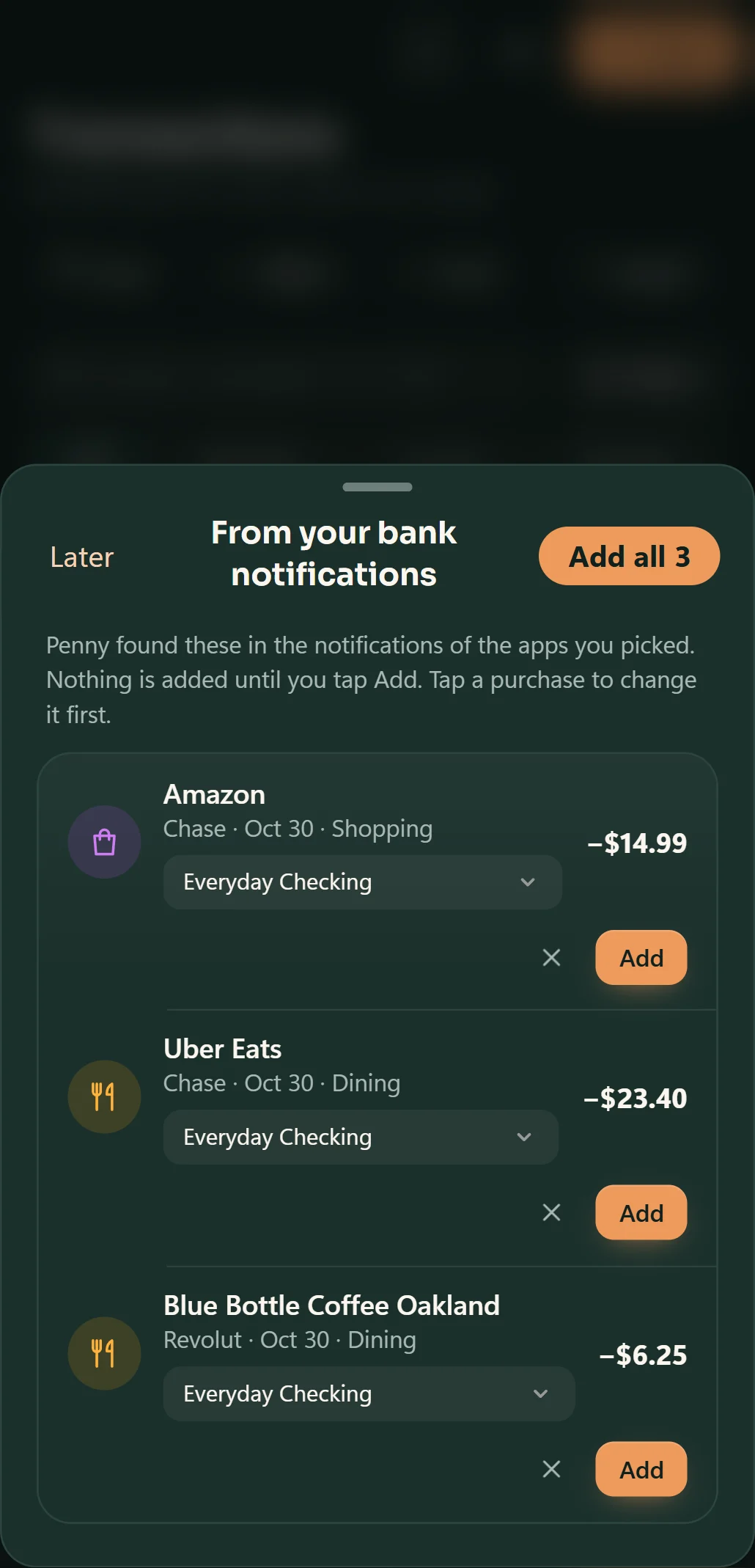
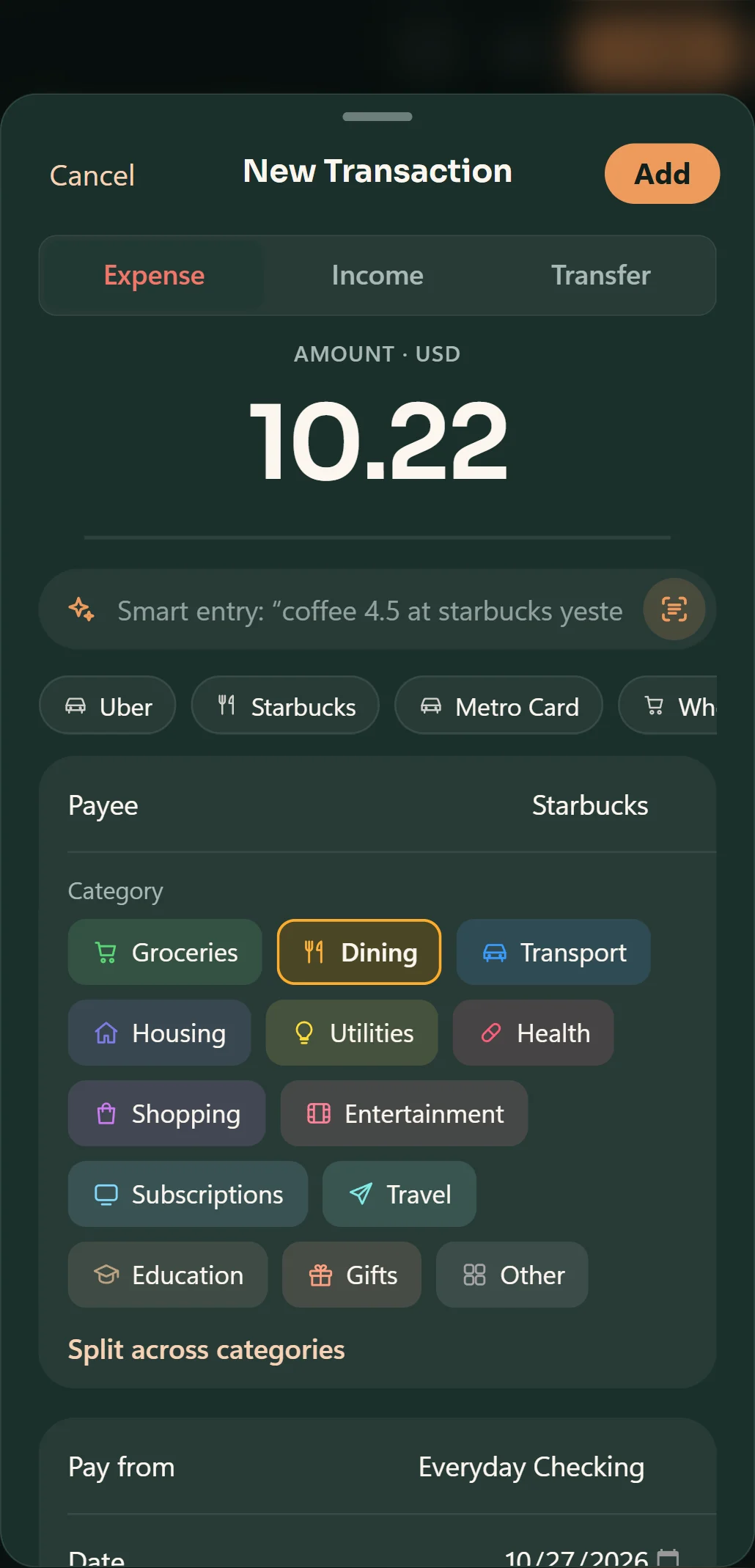
Bank alerts, receipt photos, statements or a quick “coffee 4.50”. Penny fills in the payee, the category and the card.
Uber Eats $23.40Add - 2It makes sense of it
Subscriptions, transfers, refunds and double charges are sorted out, and rules learn your payees as you go.
Dining · 14 visits $291.66 - 3It tells you what to do
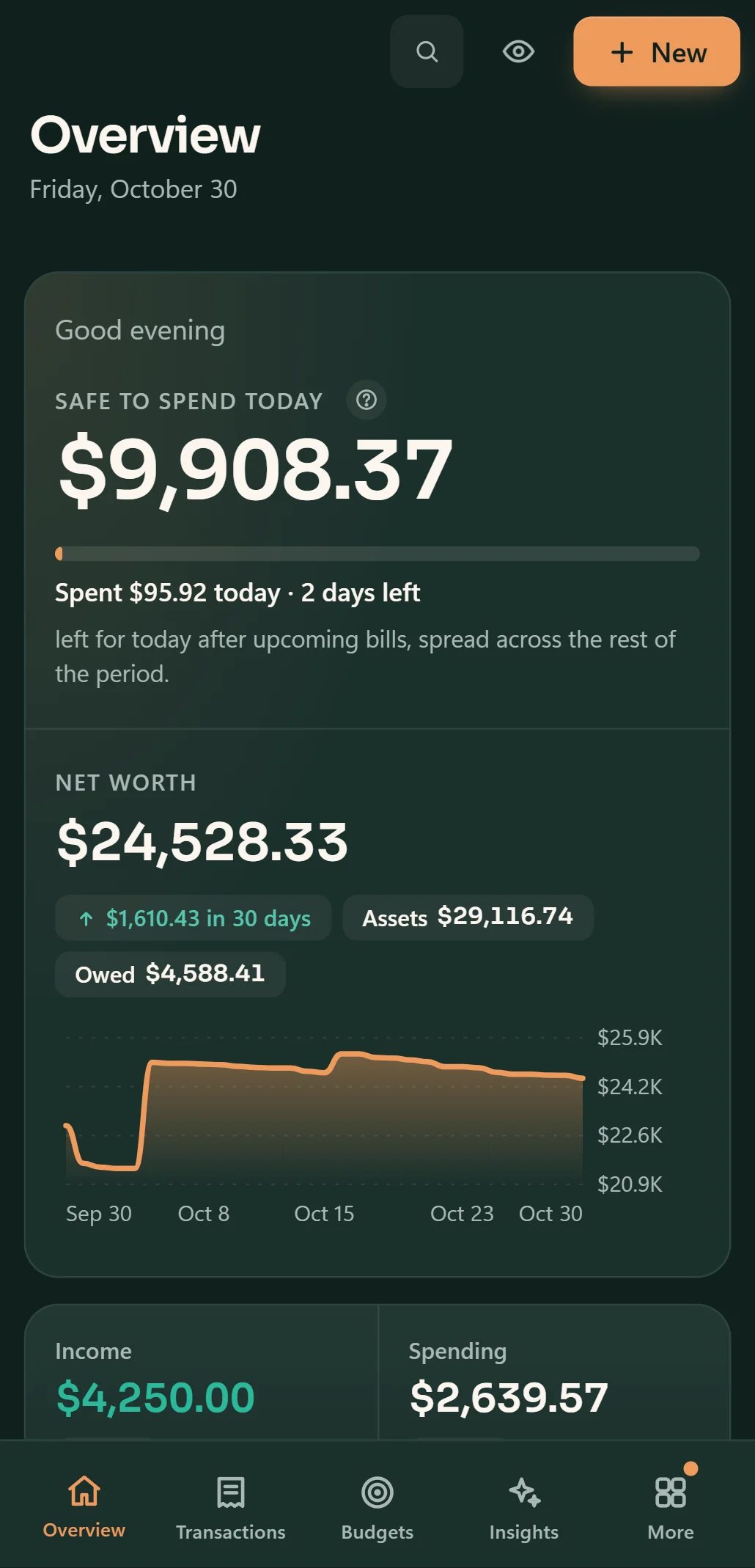
What's safe to spend today, how to split each paycheck, and the day money gets tight, before it happens.
Safe to spend today $42.10
Your spending, written down for you.
Your bank already tells you about every purchase, and the shop hands you a receipt. Penny turns both into transactions you confirm with one tap. Or just type “coffee 4.50”.
- Swipe to delete, repeat or mark paid
- A nudge only on days you forget
- 9 languages, about 40 currencies
- Read on your phone, never uploaded
From tracking money to planning it.
Penny now plans each paycheck, sees the tight days coming, catches creeping subscriptions and keeps shared costs fair. Each demo below is live: try them.
Payday, planned in one tap.
When your pay lands, Penny sets aside the bills due before the next one, shares savings out to your goals, keeps a cushion and tells you what's left for each day.
- Spots your real paycheck, not a small refund
- Tracks the plan until next payday
- Goal autopilot says when a goal falls behind
See the tight days before you live them.
Your expected balance on every day ahead, from your bills, paydays and usual spending. Days that run low are marked, so you can move a payment or hold off a purchase.
- Bills and paydays on the days they land
- Tap any day to see what's behind it
- Only your share of split bills, in your currency
Subscriptions, with nowhere to hide.
Mark a bill as a subscription to see what it costs a year. Penny flags price rises, reminds you before a free trial turns paid, and counts what you've saved by cancelling.
- Yearly cost at a glance
- A heads-up before trials end
- Cancel with Undo, not a lecture
Split the bill. Keep the friendship.
Pay for dinner, split it, and Penny counts only your share as spending. It remembers who still owes what, drafts a friendly reminder, and files the repayment so it isn't mistaken for income.
- Even or custom splits
- One list of who owes you
- Repayments never inflate your income
Travel in their currency. Come home to one number.
Turn on trip mode and everything you add is tagged to the trip. Type prices in euros, yen or pesos; Penny converts them and shows what the whole trip cost.
- Amounts in the local currency
- Your share of shared meals
- A clean total, per day and overall
A health score that's honest with you.
Every benchmark is checked against the latest household-finance research. In the app, Penny saves your score each month so you can watch it climb. Move the sliders: this is the same model, running in your browser. Nothing you set here leaves the page.
Penny Research model, edition 2026.10. 80 and above is healthy, 40 to 79 is coping, below 40 is vulnerable. Guidance, not financial advice.
Nobody sees your money. Not even us.
Penny never asks for your bank password and has no servers to send your data to. Privacy mode hides every number at once. Try it on this page.
Penny reads the files you download and the alerts your bank already sends you. It never connects to your bank.
AES-256, sealed by Windows or by your phone's secure hardware. Add a passcode and a recovery key for a second lock.
Verified backups every day and before big changes, so a bad import is one click to undo.
How Penny is different
| Question | Penny | Most budgeting apps |
|---|---|---|
| Your bank login | Never asked for | Shared with a data company to link your bank |
| Where your data lives | On your device, encrypted | On the company's servers |
| Account to sign up | None | Email and password |
| Without internet | Everything works | Mostly stops |
| Ads and data deals | None | Common in free apps |
A general comparison with bank-linked budgeting apps, not any one product.
Calm on the surface. Thorough underneath.
Everything else, done properly.
The tools a budget needs, on your PC and your phone, without the clutter.
Your balance ahead of time, with the low point marked before it happens.
The line is today. Each bar is how far through its budget a category is, so you see the pace before you overspend.
Plain questions in any of its 9 languages: paydays, trips, who owes you, or this month against last. Answered on your device.
Drop in a CSV, OFX or QFX file. Chase, Amex and other big banks are recognized, payees cleaned, duplicates skipped.
What to set aside each month, and your debt-free month with avalanche or snowball.
Findings ordered by the money at stake: overspending before it happens, fees, price rises and habits.
An evening nudge only on days with nothing added, a monthly recap, and every one has its own switch.
Four themes, from pure white to true black, and an accent colour that can match your phone or Windows.
Excel export, rules that learn your payees, and verified backups every day.
Questions, answered.
The things people ask before they install a money app. Short answers, no fine print.
Does Penny connect to my bank?
No. Penny never asks for a bank password and never logs in anywhere. On Android it can read the purchase alerts your bank app already shows you; on any device you can import a statement (CSV, OFX or QFX). Major US banks are recognized automatically.
Where is my data, and who can see it?
Only on your device, encrypted with AES-256 and sealed by Windows or your phone's secure hardware. There is no account and no cloud, and Penny has no servers. Add a passcode for a second lock, with a recovery key in case you forget it.
Which languages and currencies does it speak?
English, Spanish, Portuguese, French, Russian, Indonesian, Chinese, Hindi and Arabic, with right-to-left layout for Arabic. Bank alerts, quick entry and Ask Penny understand all nine. About 40 currencies, with accounts in different currencies converted to your main one.
Is it really free?
Yes, everything is free during the beta. A Pro plan will add extras later, with a free week to try it; everyday budgeting stays free, and data you already have is never removed or locked away.
How is the health score worked out?
Four pillars (Spend, Save, Borrow, Plan) scored 0 to 100 with the Penny Research model, built from the latest household-finance research and tested on realistic households.
What if I already use Mint, YNAB or Monarch?
Export from your old app and import the file. Penny recognizes those exports with all their accounts, keeps transfers as transfers and skips duplicates.
Which devices does Penny run on?
Windows 10 and 11 today, and Android is coming to Google Play. iPhone and Mac may follow; join the Discord to hear first.
Is it safe to let Penny read notifications?
It's off until you turn it on and pick your bank apps. Penny checks those notifications on your phone for a purchase, keeps only the ones from apps you picked (encrypted), and never sends them anywhere. Codes and balances are never kept.
Start with the next thing you buy.
Penny is free during the beta, for Windows 10 and 11, with Android coming soon.
Version 1.2.0